SmartLock Manager: Real-Time IoT Dashboard with Elixir and Phoenix LiveView
SmartLock Manager is a demo Phoenix LiveView application showcasing real-time updates, asynchronous IoT simulations, and an interactive dashboard. The project demonstrates how Elixir and Phoenix LiveView can be used to build responsive, real-time web applications with minimal client-side JavaScript.
When I started learning Elixir, I found that many example applications required creating an account or navigating through a complex setup before you could see anything working. I built SmartLock Manager as a simple, self-contained example that demonstrates real-time updates, LiveView interactions, and asynchronous processes in a way that’s easy to explore and understand. If you know of other approachable Elixir examples, let me know.
In the clip below, both tabs point to the same URL. Toggling a lock in one tab instantly updates the other — no polling, no page refresh.

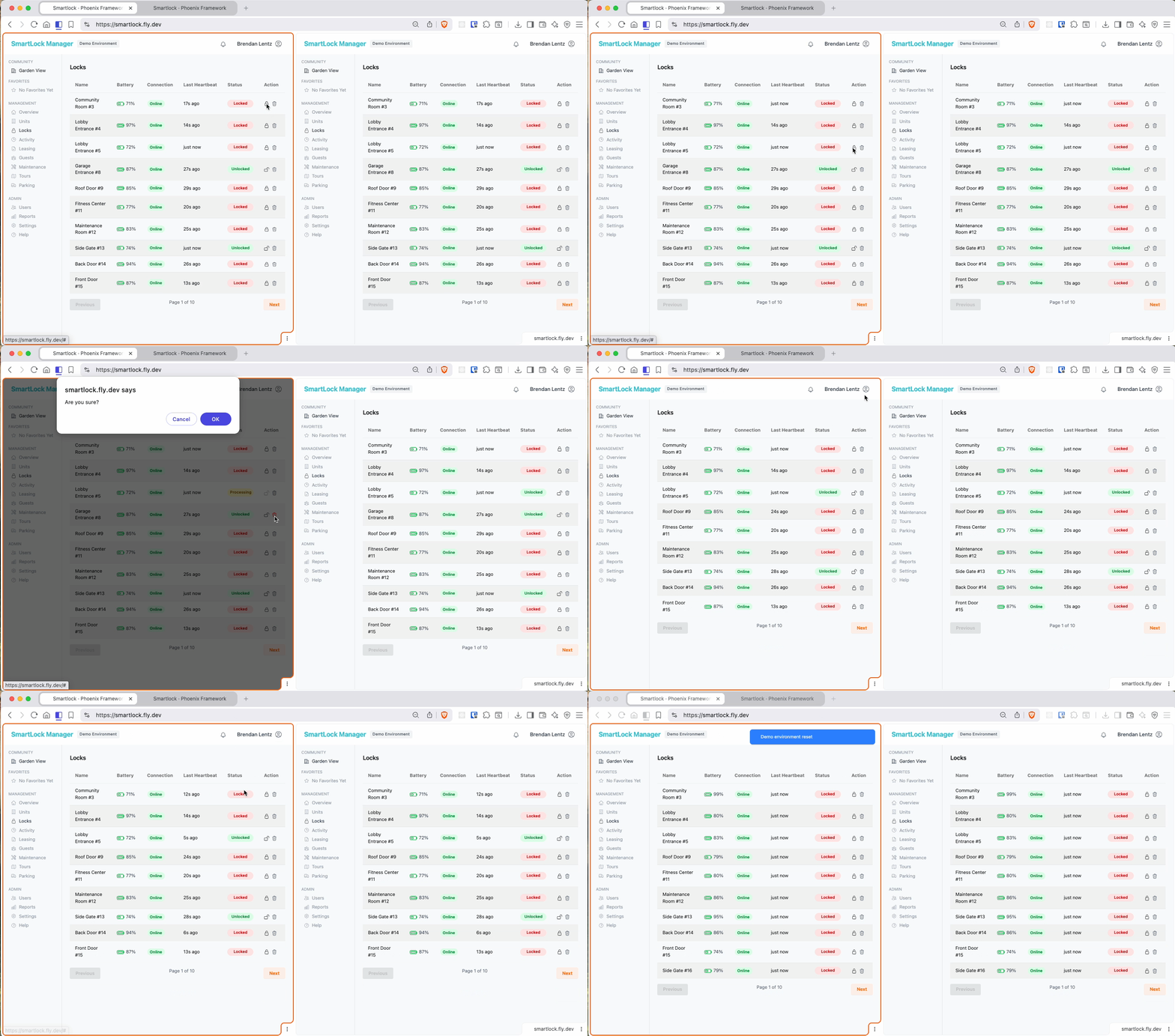
Architecture

The system has three main moving parts: a GenServer running the IoT simulation, a LiveView powering the dashboard, and PubSub wiring them together.
Lock Simulator (lock_simulator.ex) is a GenServer that wakes up on a timer, randomly flips lock states, and broadcasts heartbeat events. It stands in for actual hardware — the rest of the system doesn’t know or care whether events come from a real device or a simulated one.
LiveView (lock_live/) handles the UI. Phoenix LiveView lets the server push DOM updates over a persistent WebSocket connection, which means the dashboard stays current without any client-side polling or JavaScript state management. For large lock lists, it uses Phoenix.LiveView.Streams — an efficient diffing primitive that avoids re-rendering unchanged rows.
PubSub is the glue. When a lock changes state — whether from the simulator, a user toggling it, or a deletion — the event is broadcast to all subscribed LiveView processes. Every open browser tab has its own LiveView process, so they all receive the update simultaneously. This is where Elixir’s concurrency model pays off: each tab is a lightweight process, and broadcasting to thousands of them is cheap.
Features
| Feature | How it works |
|---|---|
| Real-time status updates | PubSub broadcasts to all connected LiveView processes |
| ”Processing” state | Lock commands are async; UI shows intermediate state before confirming |
| Heartbeat simulation | GenServer timer fires periodically, simulating device connectivity |
| Multi-tab sync | Each tab is an independent process subscribed to the same PubSub topic |
| Live pagination | Phoenix.LiveView.Streams handles large datasets efficiently |
| Reset Demo | One-click restore to initial state, broadcast to all clients |
| Delete Lock | Immediate removal broadcast to all connected clients |
What I Learned
The biggest shift coming from a JavaScript/Node background was thinking about state differently. In a typical React app, state lives in the client — you fetch it, hold it, and sync it back to the server. In LiveView, the server is authoritative. The client renders what the server tells it to, and user interactions are events sent back to the server. That inversion simplifies a lot of things: there’s no cache invalidation problem, no risk of client state drifting from server state.
PubSub in this model is remarkably clean. Adding real-time sync across tabs was not a special case I had to design around — it was just a consequence of how processes and message passing work in Elixir. Each LiveView subscribes to a topic on mount, and the simulator broadcasts to that topic. Multi-tab sync fell out naturally.
The async command flow (lock → “Processing” → locked/unlocked) was a useful exercise in modeling intermediate states explicitly. Rather than disabling the button and hoping the operation completes quickly, the UI reflects the actual in-flight state — something real IoT systems need to handle correctly.